
Phantomix: Ghost Zapper
Games with Java and AI

Last week, I only showed pictures.
This time, I promise: we’ll have code too — and more pictures, of course =D
I can work with any language, but Java is still my favorite.
That said… is it just me, or do AI assistants always try to write everything in Python?
Not today.
Why libGDX?
For this project, I decided to use libGDX, a great open-source framework based on OpenGL (ES).
And yes — it’s Java.
It’s surprisingly easy to get started, and honestly, it deserves more attention.
Where the idea came from
I didn’t want to rebuild my previous game. And I need something to help me when I’m in a meeting. (if you have a kid, you probably know what I’m talking about it. If you don’t, they jump in the keyboard and press all the buttons!)
But as always, my kids had other plans.
Their current obsession? Ghostbusters.
The funny part? They’re 5 and 3.
They’ve never watched the movie — they just know the song from Just Dance.
This week they watched their first episode of the old cartoon… and now they spend the whole day “catching ghosts.”
So I thought: What if I build something for them to play… while I’m in a meeting?
That’s how Phantomix: Ghost Zapper was born.
From typing game to… more
The original idea was simple:
A typing game, inspired by Tuxtype (an old Linux game for kids).
But then it evolved. Now I’m planning three modes:
Typing mode (original idea)
Aim mode (shooting ghosts)
2D adventure mode (still in progress)
Using AI (the good, the bad, the weird)
AI helped a lot:
Generated the initial project structure
Helped integrate libGDX
Explained concepts when needed
Even helped with sounds and documentation
But… it wasn’t perfect.
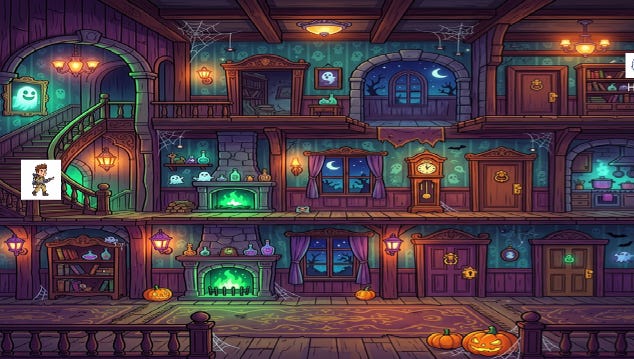
First version was not good
Some examples:
It suggested a Strategy Pattern, but implemented everything with
ifstatementsIt put all game modes in a single file
It couldn’t help much with fine-tuning object positions (manual work wins here)
And my favorite:
It tried to create 5 Python scripts to crop sprites, before suggested I just use Inkscape manually
About libGDX
libGDX has a very clean structure.
You typically extend ScreenAdapter, which gives you lifecycle methods like:
show()render()hide()dispose()
Here’s a simplified version of my render method. This is where most of the game loop happens: clearing the screen, drawing elements, and delegating behavior to the current game mode.
 @Override
    public void render(float delta) {
        update(delta);

        Gdx.gl.glClearColor(0.05f, 0.05f, 0.15f, 1);
        Gdx.gl.glClear(GL20.GL_COLOR_BUFFER_BIT);

        batch.begin();
        if (bgTex != null) batch.draw(bgTex, 0, 0, 1280, 720);

        gameMode.updatePlayer(batch, playerTex);
        //more code here
        batch.end();
        // extra stuff in the GameScreen
        gameMode.renderExtraStuff(shapeRenderer);
    }
There’s also the global Gdx class, which gives you access to everything you need.
And helpful utilities like:
BitmapFontfor textSpriteBatchfor rendering textures
If you’ve ever worked with games, it feels very natural.
Current status
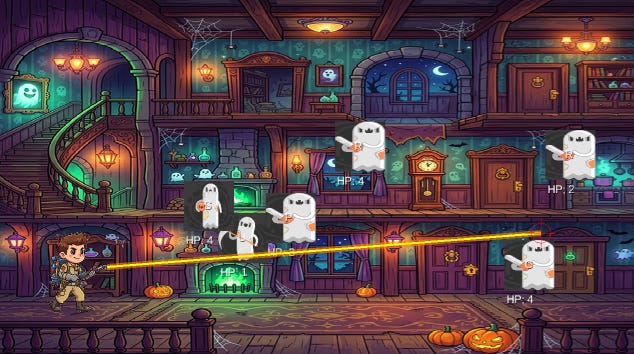
I already have a first playable version (typing + basic interactions). The good (or bad) thing, you don’t die yet.
The adventure mode is still coming — I need to learn how to make the player walk and jump properly.
But the most important part?
My kids played it… and loved it.
That’s the win I needed!
Code
About the code I promised in the beginning, you can check the code here:
phantomix-ghost-zapper
Contributions are welcome, especially if you want to help with a mobile version
If you like it, don’t forget to add a star to the repo.
Ready to zap some ghosts?
Check the code and give it a try.
Happy blasting!